In This Article
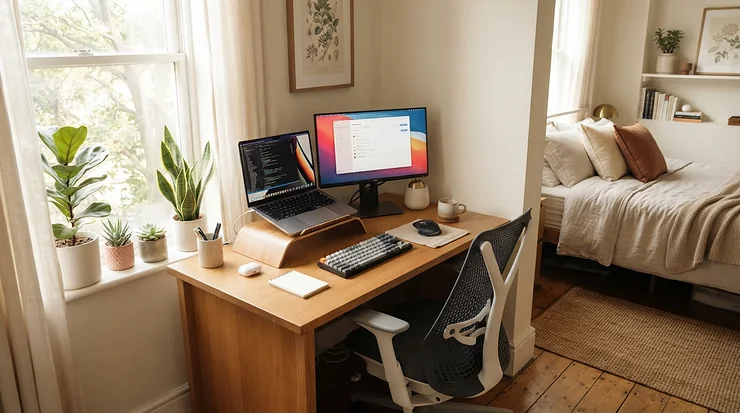
Your desk is barely 40 inches wide. The wall sits eight inches from your knees. And the chair you grabbed in a panic has opinions about your neck by 3 p.m.

Here’s what most buying guides skip. Compact chairs tend to ditch the headrest, and headrest chairs tend to sprawl. Finding an ergonomic chair for small desk home office use means threading a needle: tight footprint, real neck support, and adjustments that earn their keep. I went through current spec sheets, published reviews, and retailer-listing sentiment to find seven chairs that thread it, or come close. Nothing here is a hands-on test claim. It’s honest reasoning from real specs and what reviewers keep reporting.
What Is an Ergonomic Chair for Small Desk Home Office Use?
An ergonomic chair for small desk home office use is a compact, adjustable task chair that supports the lower back, arms, and neck while fitting a tight footprint, around 25 to 29 inches wide, so it tucks under a narrow desk. The best ones add an adjustable headrest and tilt tension control for comfortable recline.
Why does this matter? OSHA’s computer workstation guidance treats the chair as the foundation of a safe setup. It should cradle your back, legs, and arms so your body isn’t shoved into awkward positions all day. In a small room, you have less margin for error. A chair that’s too wide scrapes the desk. One that’s too basic leaves your head hanging off your spine like a bowling ball on a broomstick.
Quick Comparison: 7 Chairs at a Glance
Before the deep dives, here’s the lay of the land. Prices are ranges at the time of research and shift often, so check current price before buying.
| Chair | Price Range | Headrest | Footprint (approx.) | Best For |
|---|---|---|---|---|
| Sihoo M57 | ~$250–$350 | Height + angle adjustable | ~28″ × 28″ | Best all-round value |
| Hbada E3 Pro | ~$450–$650 | 4D dual-axis | ~27.5″ × 27.5″ | Call-heavy recliners |
| FlexiSpot C7 Lite | Below the standard C7 (check current price) | Height + 60° tilt | 20″ seat width, compact build | Petite sitters |
| Branch Ergonomic Chair Pro | ~$500–$570 with headrest | Optional add-on, two-axis | ~25″ × 24″ | The tightest desks |
| Steelcase Series 1 | ~$400–$700 as configured | Optional add-on, ~3.25″ lift | ~23.5–27″ × 21–23.75″ | Shared chairs, long warranty |
| Marsail Ergonomic Mesh Office Chair | ~$90–$150 | 2D (height + tilt) | ~25″ (varies by model) | Tight budgets |
| Autonomous ErgoChair Pro | ~$400–$500 | Included, ~45° flex | ~28.5″ × 28.5″ | Headrest included from day one |
Reading the table, the Branch Ergonomic Chair Pro and Steelcase Series 1 win on pure footprint, while the Sihoo M57 and Autonomous ErgoChair Pro trade extra width for more generous headrests. The Marsail Ergonomic Mesh Office Chair is the only one that costs less than a nice dinner, but its dimensions change from model to model. Whatever you pick, measure your desk opening first.
💬 Just one click — help others make better buying decisions too!😊
Top 7 Ergonomic Chairs for a Small Desk Home Office: Expert Analysis
Each pick below gets honest analysis built on published specs and aggregated review themes. I haven’t sat in any of these, and I won’t pretend otherwise.
1. Sihoo M57 — best all-round value with a roomy headrest
The headrest on the Sihoo M57 lifts about 10 cm (roughly four inches) and swings through about 45 degrees, which covers a wide range of heights without a toolbox.
The maker lists a footprint near 28 inches square, a 330-pound capacity, and recline up to about 126 degrees. The lumbar support moves both up-and-down and in-and-out. In practice, you can park the lumbar where your lower back actually curves instead of where a factory guessed, and the recline gives the headrest real work during video calls. Seat height runs roughly 18 to 22 inches on the standard M57 series, which suits average-to-tall sitters. Shorter users should look at the lower-minimum M57B variant.
On paper, this is the chair to beat under $400 for anyone who wants headrest-driven neck relief without paying Steelcase money.
Retailer listings show about 4.7 stars across roughly a thousand ratings. Reviewers consistently praise the breathable mesh and adjustability. One published review called the headrest the least polished part of an otherwise sturdy build.
Pros:
- ✅ Headrest adjusts in height and angle
- ✅ Lumbar moves vertically and in depth
- ✅ Strong retailer-listing sentiment for the price
Cons:
- ❌ Armrest width needs real desk clearance
- ❌ Headrest feels least refined, per one reviewer
Expect roughly $250–$350 at the time of research, which is excellent value for a fully adjustable headrest chair.

2. Hbada E3 Pro — most adjustable headrest in the lineup
Hbada’s calling card is a 4D dual-axis headrest. The maker’s listing says it rotates about 70 degrees, slides roughly 5.5 cm forward and back, and moves about 4.5 cm up and down. That forward-and-back travel matters because a headrest that can’t come forward under your skull just props your head against thin air.
The Hbada E3 Pro measures about 27.5 inches square, weighs near 68 pounds, and carries 330 pounds. A retailer spec sheet describes a weight-sensitive recline with four positions between roughly 105 and 140 degrees, plus three-zone elastic lumbar support. That combination keeps support engaged as you shift, and shifting is when neck strain tends to creep in.
It isn’t the slimmest option, so measure first. But if your desk allows about 28 inches of clearance, this is the pick for people who spend hours leaning back on calls. Note that Hbada is rolling out a 2026 fourth-generation edition, so confirm which version a listing is selling.
TechRadar’s reviewer called it a highly adjustable chair with an impressive feature set for the price, and noted a footrest that moved a bit too freely on their unit.
Pros:
- ✅ Dual-axis headrest with forward-and-back travel
- ✅ Weight-sensitive recline with multiple positions
- ✅ Three-zone lumbar follows your movement
Cons:
- ❌ Heavy and wider than the slimmest chairs
- ❌ Generation differences can confuse buyers
Roughly $450–$650 depending on generation and footrest, which is fair for this adjustability.
3. FlexiSpot C7 Lite — smallest seat and lowest seat height
TechRadar’s review of the FlexiSpot C7 Lite lists a seat about 20 inches wide and 18.8 to 19.5 inches deep. Seat height runs 16.34 to 17.32 inches, the headrest offers about 2.4 inches of lift and 60 degrees of tilt, and the capacity is 290 pounds.
That seat-height window is the story. It’s low and narrow, a gift for petite sitters at standard desks and a dealbreaker for anyone over about 5’8″, whose knees will sit above their hips. TechRadar’s reviewer noted the headrest supports without pushing the head too far forward, which is the exact failure mode that makes some headrests worse than none.
The chair is lightweight and compact, so it’s easy to slide in and out of a tight alcove. FlexiSpot’s standard C7 documents a tilt-tension adjuster, but I couldn’t verify one on the Lite, so check the listing if tension control is a must-have.
Reviewer sentiment I could verify points to a comfortable, affordable chair “tailored for more petite users”, with nothing dramatic on either side.
Pros:
- ✅ Compact, lightweight frame fits tight corners
- ✅ Headrest tilts without shoving the head forward
- ✅ Built with smaller bodies in mind
Cons:
- ❌ Low seat-height range excludes taller users
- ❌ Tilt tension control unconfirmed on this model
Pricing sits under the standard C7’s roughly $370–$650 spread, so it’s strong value for the right body.
4. Branch Ergonomic Chair Pro — tightest footprint with real tilt tension control
At about 25 inches wide and 24 inches deep, the Branch Ergonomic Chair Pro is the narrowest full-featured chair in this guide. Height runs 38 to 41.2 inches, or 41.5 to 45 inches with the tall cylinder, and capacity is 275 pounds.
The maker lists 14 adjustments, including seat depth, forward seat tilt, five-way armrests, and tilt tension control. Tom’s Guide praised that tension setting. Tighten it and the backrest stays put until you actually want to recline. That’s worth more than it sounds in a small room, where a chair that drifts backward every time you reach for a notebook gets old fast.
The headrest is an add-on, roughly $70 extra, and its reviews are mixed. Tom’s Guide found it tricky to dial in and mostly useful when leaning way back. Branch’s own listing shows about 3.9 stars from roughly 109 reviews, with fans praising the height and tilt options.
My read: buy this for footprint and tilt tension control. Treat the headrest as a bonus, not the main event.
Pros:
- ✅ Narrowest footprint in this guide
- ✅ Tilt tension and forward tilt included
- ✅ Long warranty on the maker’s listing
Cons:
- ❌ Headrest costs extra and reviews are mixed
- ❌ Lowest weight capacity of the seven
Budget around $500, or roughly $570 with the headrest, which is a fair price for the footprint-to-adjustability ratio.
5. Steelcase Series 1 — compact frame with a long warranty
Steelcase lists the Steelcase Series 1 chair at about 21 to 23.75 inches deep, 23.5 to 27 inches wide, and 36.5 to 41.25 inches tall. That’s one of the smallest envelopes here. The optional headrest adjusts about 3.25 inches vertically, and the chair carries 400 pounds under a limited lifetime warranty (12 years, parts and labor).
Instead of a tension knob, the Steelcase Series 1 uses a weight-activated recline with a “boost” setting that adds roughly 20% more resistance, plus an upright lock. In practice, you sit, it adapts, and nobody has to read a manual. That’s handy if two people share the chair.
The catch is that the headrest is an optional, field-installable add-on, so configure it deliberately. Seated Lab’s comparison with the Steelcase Gesture notes that the Series 1 lacks the Gesture’s manual tension dial. Think of it as a very good set-and-forget chair rather than a tinkerer’s chair.
I couldn’t verify a large pool of owner reviews for this exact configuration, so the case rests on the spec sheet and the brand’s reputation. The same Seated Lab comparison calls it plenty of Steelcase for an entry-level number.
Pros:
- ✅ Compact envelope fits small desks
- ✅ 400-pound capacity and strong warranty
- ✅ Weight-activated recline needs no fiddling
Cons:
- ❌ Headrest is a separate add-on
- ❌ No full manual tension dial
Expect roughly $400–$700 depending on configuration, which is worthwhile if warranty length matters to you.
6. Marsail Ergonomic Mesh Office Chair — cheapest way into a real headrest
Marsail sells several near-identical models, so read the listing carefully. Common specs include a 2D headrest (about 2.4 inches of lift plus tilt), lumbar that moves roughly 1.6 inches up-and-down and 1.2 inches in depth, a 90 to 120 degree rocking recline, and a 300-pound capacity. One listing shows seat height from 18.8 to 22.1 inches.
Listed dimensions range from about 25 inches square to a 27.6-inch base, so verify the exact model against your desk. Some variants lock only in the upright position, so if you want to recline and hold, confirm the tilt-lock details. For tilt tension control in the knob-and-lever sense, expect less sophistication than on the Branch Ergonomic Chair Pro.
The upside is enormous: a headrest and moving lumbar for roughly the cost of a good pair of sneakers. A 9to5Toys editor credited a similar headrest chair, paired with a raised monitor, with ending neck and shoulder pain. That’s one person’s anecdote, not proof. Marsail’s own model comparison shows ratings of roughly 4.0 to 4.5 stars across variants.
Pros:
- ✅ Headrest included at a bargain price
- ✅ Lightweight and easy to move
- ✅ Adjustable lumbar on most models
Cons:
- ❌ Dimensions and features vary by model
- ❌ Simpler tilt mechanism than pricier chairs
At roughly $90–$150, the Marsail Ergonomic Mesh Office Chair is a smart starter if you verify the exact variant.
7. Autonomous ErgoChair Pro — headrest included, five recline locks
Many chairs charge extra for the headrest. The Autonomous ErgoChair Pro includes it. The maker lists a 28.5-inch-square footprint, 45.5 to 52 inches of height, 300-pound capacity, and 48.5 pounds of weight. The recline runs 22 degrees across five lockable positions, with adjustable tilt angle and tension, and the headrest flexes about 45 degrees.
Those five lock positions are the practical gem. You can park the chair at a slight lean for reading, then another notch back for calls. Autonomous’s own engineering article argues the headrest should contact the base of the skull rather than mid-neck. That’s a manufacturer’s claim, but it matches how cervical loading works (more on that below).
Reviewer verdicts split a little. TechRadar called it highly adjustable and very comfortable. Tom’s Hardware called it comfortable but ultimately lackluster. One reviewer noted the armrests didn’t lock in place. Warranty terms also vary by source, from two years to the maker’s lifetime claim, so check the current terms.
At 28.5 inches square, it isn’t tiny. But for a roomy-ish small office, it’s an easy one to set up.
Pros:
- ✅ Headrest included in the base chair
- ✅ Five lockable recline positions
- ✅ Adjustable tilt angle and tension
Cons:
- ❌ Wider footprint than the compact picks
- ❌ Armrests may not lock firmly
Expect roughly $400–$500, which is competitive for an included headrest.
Specs Side by Side
| Chair | Headrest Adjustment | Recline / Tilt | Max Load | Best For |
|---|---|---|---|---|
| Sihoo M57 | ~10 cm lift, ~45° | Up to ~126° | 330 lb | Value seekers |
| Hbada E3 Pro | 4D dual-axis, ~70° rotation | ~105–140°, weight-sensitive | 330 lb | Recliners |
| FlexiSpot C7 Lite | ~2.4″ lift, 60° | Not verified | 290 lb | Petite users |
| Branch Ergonomic Chair Pro | Optional two-axis | Tilt tension + forward tilt | 275 lb | Tight desks |
| Steelcase Series 1 | ~3.25″ lift (optional) | Weight-activated + boost | 400 lb | Shared chairs |
| Marsail Ergonomic Mesh Office Chair | ~2.4″ lift + tilt | 90–120° rocking | 300 lb | Budget buyers |
| Autonomous ErgoChair Pro | ~45° flex | 22° over five locks | 300 lb | Included headrest |
The pattern is clear. Headrest range is widest on the Hbada E3 Pro and Sihoo M57, while the Steelcase Series 1 wins on capacity and automatic tension. If a chair’s recline mechanism is a mystery on paper, assume it’s simpler than the pricey ones until the listing proves otherwise.
How to Choose an Ergonomic Chair for Small Desk Home Office Use
Short on time? Walk through these six steps in order.
- Measure the desk opening and knee clearance. Note the width and depth under the desk, then subtract the chair’s armrest width. A chair that “fits” by seat width can still jam on its arms.
- Match the seat-height range to your body. OSHA’s guidance describes a neutral posture with knees near hip height and feet supported, so a chair that bottoms out too high (or too low) makes everything else harder.
- Demand a headrest that adjusts in height and angle. A fixed, shallow pad can push your head forward, which is worse than nothing.
- Look for lumbar that actually moves. Fixed lumbar pads disengage when you shift, which is when strain creeps in.
- Prioritize tilt tension control and a recline lock. These let you set how hard the chair pushes back and hold a reading angle.
- Check armrests and warranty. Three-dimensional or flip-up arms tuck under tight desks, and a longer warranty reduces long-term risk.
Cervical Spine Support and Neck Strain: What a Headrest Can and Can’t Do
Your neck is a remarkable piece of engineering that nobody asked to hold a ten-pound weight all day. Anatomically, the cervical vertebrae form the seven small bones supporting the skull. A widely cited 2014 analysis by Kenneth Hansraj in Surgical Technology International estimated that a head weighing 10 to 12 pounds in neutral posture produces about 27 pounds of effective load at a 15-degree forward tilt.
That’s the argument for cervical spine support: let the chair carry some of that weight during recline. A properly set ergonomic chair with adjustable headrest neck support doesn’t force your head upright. It gives the skull a place to rest when you lean back, so the muscles can relax.
The details matter, though. A headrest set too low or touching mid-neck pushes your head forward and increases neck strain. The contact point should be the base of the skull. Also, OSHA’s checklist asks that head and neck stay upright and in line with the torso during computer work, so a headrest is a recline tool, not a license to slouch.
A chair is not a medical device. If you have persistent pain, numbness, or a diagnosed condition, see a clinician in addition to upgrading furniture. Screen height, break habits, and total sitting time still matter.
Compact Chair With Headrest for Small Spaces vs Traditional Office Chairs
A compact chair with headrest for small spaces plays by different rules than a big executive throne. The throne offers a tall, padded back and fixed headrest, but its width eats your floor. A compact mid-back chair tucks neatly under the desk but usually leaves your neck unsupported.
The Boulies OP180 illustrates the gap. TechRadar calls it a compact, mid-back chair that won’t dominate the room, and Tom’s Guide notes it slotted into a tight squeeze between desk and wall. Both note it has no headrest, and Tom’s Guide adds there’s no dedicated lumbar support. It’s a decent chair, just not the right chair if neck support is the point.
| Option | Footprint | Neck Support | Tilt Control | Best For |
|---|---|---|---|---|
| Compact chair with headrest (e.g., Branch Ergonomic Chair Pro + headrest) | Small | Adjustable headrest | Tilt tension available | Neck-conscious small desks |
| Traditional high-back executive chair | Large | Fixed pad, often | Varies | Spacious offices |
| Compact mid-back, no headrest (e.g., Boulies OP180) | Small | None built in | Limited recline | Short sessions, minimal rooms |
Notice the tradeoff. A compact chair with headrest for small spaces gives up a few inches of floor in exchange for real cervical spine support. If you rarely recline and mostly lean forward typing, a no-headrest chair can be perfectly fine. If you take calls, read, or think while leaning back, the headrest earns its footprint.
Features That Actually Matter (And Those That Don’t)
Matters: tilt tension control. This is the setting that decides whether the chair feels like a supportive partner or a runaway sled. Tilt tension control lets you tune how hard the backrest pushes back, so a lighter person doesn’t sink and a heavier one doesn’t stall. Weight-activated systems like the Steelcase Series 1 handle this automatically.
Matters: headrest depth and angle. Height alone isn’t enough. You need the pad to reach the back of the skull while you recline.
Matters: seat depth. Too deep and the seat edge jams the back of your knees. Too shallow and your thighs lose support.
Doesn’t matter much: racing-style looks. Aggressive “gaming” styling adds width and bulk without improving support.
Doesn’t matter much: footrests in a tiny room. The Hbada E3 Pro offers a footrest option, and while it’s comfy, it also claims floor space you may not have.
Doesn’t matter much: “8D” and “4D” labels. Count the actual adjustment ranges instead of trusting the number. A two-axis headrest with real depth can beat a “4D” headrest with a few millimeters of travel.
Common Mistakes When Buying a Compact Headrest Chair
- Shopping by seat width alone. Armrests are usually the widest part of the chair, and they’re what hit your desk.
- Assuming a tall backrest equals neck support. It doesn’t. Without an adjustable headrest, a high back just holds your shoulders.
- Setting the headrest too low. Contact at mid-neck pushes your head forward and worsens neck strain.
- Ignoring the seat-height range. The FlexiSpot C7 Lite is fantastic for petite users and wrong for tall ones. Always compare the range to your height.
- Skipping model variants. The Marsail Ergonomic Mesh Office Chair comes in numerous versions with different widths, and Hbada E3 Pro listings may be older or newer generations.
- Forgetting tilt tension control. Without it, you either fight the chair or let it dump you backward.

Setup Guide: Headrest Height and Tilt Tension Control in 10 Minutes
Most chair complaints in the first month are setup problems wearing a disguise. Run through this routine once, then retest after a week.
- Seat height: Feet flat, knees near hip height.
- Seat depth: Leave a few finger-widths between the seat edge and the back of your knees.
- Lumbar: Raise or lower it until it meets the inward curve of your lower back.
- Armrests: Forearms roughly parallel to the floor, shoulders relaxed. If you can drop your shoulders an inch, the arms are too high.
- Tilt tension control: Start loose, then tighten until the backrest holds you without effort but still yields when you push back deliberately.
- Headrest: Recline to about 100 to 110 degrees, then slide the pad until it meets the base of your skull, not your mid-neck.
- Monitor: Keep the top edge at or just below eye level so your head isn’t nodding down.
First-30-day mistakes: over-tightening tension, forgetting to re-check the headrest after changing seat height, and never moving. Cornell ergonomist Alan Hedge’s 20-8-2 pattern (20 minutes sitting, 8 standing, 2 moving) is a sensible rhythm.
Maintenance schedule: tighten bolts every few months, wipe mesh with a dry cloth, and check the gas lift if the chair slowly sinks.
Real-World Scenarios: Matching Chair to Desk and Budget
These are hypothetical profiles, not testimonials. Use them as reasoning templates.
The dorm-room student. Picture a 40-inch desk, a $150 ceiling, and four hours of study daily. The Marsail Ergonomic Mesh Office Chair gets her a headrest and adjustable lumbar for the money, provided she verifies the model’s dimensions. If she’s petite, the FlexiSpot C7 Lite is worth watching.
The tall remote analyst in a closet office. He’s 6’1″, works eight hours a day, and has a budget around $350. The Sihoo M57 has the seat-height range, the headrest lift, and the recline for long days.
The call-heavy sales rep. She leans back all day on video calls. The Hbada E3 Pro‘s dual-axis headrest and weight-sensitive recline, or the Autonomous ErgoChair Pro‘s five lockable positions, fit that behavior.
The shared family desk. Two people with different weights share one chair. The Steelcase Series 1‘s weight-activated recline adapts without adjustment, and the 400-pound capacity helps.
✨ Don’t Miss These Exclusive Deals!
🔍 Take your home office to the next level with these carefully selected chairs. Click on any highlighted product name to check current pricing and availability. The right headrest and tilt tension control can turn a cramped corner into a comfortable workspace!
Long-Term Cost & Maintenance: What Each Chair Really Costs
The sticker price is only the opening bid. A $300 chair used eight hours a day across five years of workdays is about 10,000 hours, or roughly three cents per hour. Spread that way, a longer-lasting chair can be cheaper than a throwaway.
For broader market context, TechRadar’s 2026 office chair roundup covers pricier benchmarks and notes that compact chairs like the Boulies OP180 can trade off lumbar and headrest features.
| Chair | Price Range | Listed Warranty | Best For |
|---|---|---|---|
| Sihoo M57 | ~$250–$350 | 3 years | Value seekers |
| Hbada E3 Pro | ~$450–$650 | 3 years (parts only) | Heavy recliners |
| FlexiSpot C7 Lite | Check current price | Check listing (standard C7 lists 5 years) | Petite sitters |
| Branch Ergonomic Chair Pro | ~$500–$570 | Up to 7 years, per listing | Tight desks |
| Steelcase Series 1 | ~$400–$700 | 12-year limited lifetime | Long-term owners |
| Marsail Ergonomic Mesh Office Chair | ~$90–$150 | Varies by listing | Starter budgets |
| Autonomous ErgoChair Pro | ~$400–$500 | Reports vary (2 years to lifetime) | Included headrest |
On warranty alone, the Steelcase Series 1 is the clear long-term play, while the Marsail Ergonomic Mesh Office Chair wins on up-front cost. If you plan to keep a chair beyond five years, paying more for a better-backed model often wins. Always confirm warranty terms on the specific listing, because they vary by seller and region.
Frequently Asked Questions
❓ How wide should an ergonomic chair be for a small desk?
❓ Do I need a headrest if I only work a few hours a day?
❓ Can a chair fix neck strain from working on a laptop?
❓ What does tilt tension control actually do?
❓ Are armless chairs better for small desks?
Conclusion
Choosing an ergonomic chair for small desk home office use comes down to three questions. How much floor can you spare? How much neck support do you actually need? And how much do you want to tinker? If space is the tightest constraint, the Branch Ergonomic Chair Pro and Steelcase Series 1 are the slimmest. For the widest headrest range, the Hbada E3 Pro and Sihoo M57 lead. For petite sitters, the FlexiSpot C7 Lite is purpose-built. For tight budgets, the Marsail Ergonomic Mesh Office Chair gets you in the door, and the Autonomous ErgoChair Pro includes its headrest out of the box.
Remember that a compact chair with headrest for small spaces is only half the equation. Set your tilt tension control properly, keep your screen at the right height, and stand up regularly. No chair, however clever, fixes eight motionless hours.
Recommended for You
- Ergonomic Chair for People With Sciatica: 7 Best Picks 2026
- High Back Chair with Headrest for Tall People: 7 Ultimate Picks 2026
- Breathable Mesh Office Chair for Hot Sleepers: 7 Best Picks 2026
Disclaimer: This article contains affiliate links. As an Amazon Associate, I earn from qualifying purchases. If you purchase products through these links, we may earn a small commission at no additional cost to you.
✨ Found this helpful? Share it with your friends! 💬🤗
