
In This Article
You sit down at 9 a.m. feeling fine. By 11, a dull burn is creeping from your buttock down the back of your leg, and by lunch you’re perched on one hip like a flamingo with a deadline. Sound familiar? Then your seat deserves some suspicion. A well-chosen ergonomic chair for people with sciatica won’t cure anything, but it can stop your workday from poking the nerve all afternoon.
Here’s the medical backdrop in plain English. Cleveland Clinic explains that the piriformis muscle can press on the sciatic nerve, and that sitting for long stretches is one of the listed causes. It also says to see a provider if symptoms last more than a few weeks, or if you have sudden severe pain, weakness, numbness, or trouble lifting your foot. Chairs are comfort tools, not treatment. If any of those red flags apply to you, book the appointment first and shop second.
What Is an Ergonomic Chair for People With Sciatica?
An ergonomic chair for people with sciatica is a task chair that spreads sitting pressure away from the buttock, thigh, and tailbone. It combines adjustable lumbar support, an adjustable seat depth, a rounded front edge, and a smooth recline. Those features keep the pelvis and lower spine in a neutral position for hours.
A quick note on method: I haven’t hand-tested these chairs. Everything below comes from spec sheets, published review roundups, and aggregated owner feedback, and I’ll flag where sources disagree or can’t be verified. Prices are ranges, so check current pricing before you buy.
Quick Comparison: 7 Chairs at a Glance
| Chair | Price range | Standout sciatica-relevant feature | Best For |
|---|---|---|---|
| Sihoo Doro C300 | $280-$350 | Adjustable lumbar, mesh back | Tight budgets |
| Branch Ergonomic Chair | $300-$360 | Contoured foam seat, long warranty | Best value overall |
| HON Ignition 2.0 | Around $400 | Lumbar height and depth, adjustable seat depth | Commercial-grade durability |
| Autonomous ErgoChair Pro | Around $500 | Lumbar height and depth, five recline positions | Mid-range all-rounders |
| Secretlab Titan Evo | $550-$700 | Deep recline, XL size option | Gaming-plus-work setups, larger frames |
| Steelcase Leap V2 | $1,400-$1,530 new; roughly $735-$750 remanufactured | Flexing LiveBack, seat-depth slider | Chronic sciatica, all-day sitting |
| Herman Miller Aeron | $1,400-$2,000 | Suspension mesh seat, PostureFit SL support | Upright sitters, hot sleepers |
Read the table as a ladder of adjustability, not a ladder of quality. The Branch Ergonomic Chair and the HON Ignition 2.0 cover the essentials at mid-$300s to $400, while the Steelcase Leap V2 and Herman Miller Aeron charge extra for finer tuning and longer service lives. If your budget is the main constraint, the remanufactured Steelcase Leap V2 is the oddball that punches above its price tag.
💬 Just one click — help others make better buying decisions too!😊
Top 7 Ergonomic Chairs for People With Sciatica: Expert Analysis
Each pick below gets the same treatment: what the spec means for your body, who it suits, what reviewers consistently say, and where it falls short.
1. Sihoo Doro C300 — best budget pick with real adjustability
The Sihoo Doro C300 is the “I refuse to spend $1,000 on a chair” answer. Several 2026 roundups rank it as their budget favorite for sciatica, and it sits in the $280-$350 range.
Its adjustable lumbar support matters because a fixed lumbar bump only fits one spine height. Being able to move it lets you fill the curve of your lower back instead of hunting for a position where the bump doesn’t poke you. The mesh back also runs cooler than foam, and long sessions get less sweaty and fidgety.
Be a careful shopper here. Before you buy, confirm the seat-depth travel and the shape of the front edge. For sciatica those two details matter more than the headline lumbar claim, and listings don’t always make them obvious.
Reviewers tend to praise its feature count per dollar. Because the brand is younger than the office-furniture giants, long-term durability evidence is thinner.
Pros:
- ✅ Adjustable lumbar at a budget price
- ✅ Breathable mesh back for long sessions
- ✅ Costs a fraction of premium chairs
Cons:
- ❌ Seat-depth and front-edge details need verifying
- ❌ Shorter track record than legacy brands
Value verdict: roughly $280-$350 buys a lot of adjustability, provided the seat checks out.
2. Branch Ergonomic Chair — best value with a cushioned, contoured seat
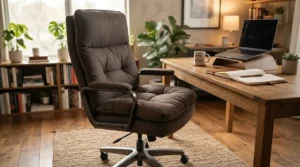
The Branch Ergonomic Chair keeps showing up as the “sweet spot” pick, usually in the mid-$300s. Its contoured foam seat is described by some reviewers as a waterfall-style front, which helps keep the seat from pressing into the backs of your thighs.
The lumbar support adjusts for height, which lets you line it up with your own curve. Depth adjustment is reserved for the pricier Pro version. In practice, that means a taller or shorter torso is accommodated, but a pronounced curve may need extra tuning.
Who is it for? Anyone who wants proper office-chair adjustability without the four-figure sticker. Reviewers also note a long warranty, commonly reported around seven years; confirm the current term at checkout.
Feedback isn’t all glowing. Owners and testers mention that assembly can be fiddly and that the armrests don’t lock in place.
Pros:
- ✅ Contoured, waterfall-style foam seat
- ✅ Height-adjustable lumbar support
- ✅ Long warranty for the price class
Cons:
- ❌ Armrests reported to shift without locking
- ❌ Lumbar adjusts for height only
Value verdict: around $300-$360 makes this the pick for most people who don’t want to overthink it.
3. HON Ignition 2.0 — commercial-grade durability at a sane price
The HON Ignition 2.0 sits around $400 and borrows its reputation from office fleets. One 2026 sciatica roundup names it the best under-$500 option for exactly that reason.
Two specs earn its spot: lumbar support that adjusts for height and depth, and a seat that slides to change depth. The first lets you set how hard the chair pushes into your lower back. The second lets you tune the gap behind your knees, which is the single most underrated sciatica adjustment.
It suits people who want something tough and unfussy. Think shared offices and home desks that will see eight hours a day for years.
Reviewer consensus leans on durability and price. The “lifetime” warranty comes with fine-print limitations, so read the terms rather than the headline.
Pros:
- ✅ Lumbar adjusts in height and depth
- ✅ Adjustable seat depth for leg length
- ✅ Commercial-grade build quality
Cons:
- ❌ Warranty carries fine-print limitations
- ❌ Styling is office-fleet plain
Value verdict: around $400 is hard to beat for tunable, durable seating.
4. Autonomous ErgoChair Pro — mid-range all-rounder with proper recline
The Autonomous ErgoChair Pro lands around $500 and offers lumbar adjustment for height and depth, 3D arms, and a recline of up to roughly 22 degrees across five lockable positions. Weight capacity is around 300 lb.
Recline range is not a luxury for sciatica. Leaning back transfers some load from your lower discs to the backrest, and lockable positions let you shift postures without hunting for a sweet spot.
It suits people who want near-premium adjustability but can’t stomach premium pricing. Owner commentary is positive: some users report their chair-related pain easing within a few weeks, and others describe satisfaction after several years of daily use. Treat that as anecdotal, not clinical.
Customization can raise the price, and one comparison lists a shorter warranty than premium rivals, so verify the current term.
Pros:
- ✅ Lumbar adjusts for height and depth
- ✅ Five lockable recline positions
- ✅ Around 300 lb capacity
Cons:
- ❌ Warranty shorter than premium chairs
- ❌ Options can push the price higher
Value verdict: around $500 is fair for this level of adjustability.
5. Secretlab Titan Evo — best gaming-and-work hybrid
The Secretlab Titan Evo is the rare gaming-styled chair that reviewers say has genuine ergonomic features. Expect $550-$700 depending on size and fabric, with a 285 lb regular size and a 395 lb XL.
Why consider it? Deep recline and built-in lumbar adjustment. One 2026 analysis calls it the strongest new chair at its price if a new Leap or Aeron is out of reach and you’d rather not buy remanufactured.
Be realistic about the shape. The bolstered gaming silhouette suits some bodies and annoys others, and it asks you to sit back in the seat rather than perch. Check the front-edge feel before you commit.
Pros:
- ✅ Deep recline for frequent posture shifts
- ✅ XL option for larger frames
- ✅ Built-in lumbar adjustment
Cons:
- ❌ Bolstered shape isn’t for everyone
- ❌ Costs more than similar office chairs
Value verdict: $550-$700 is reasonable if the hybrid look matters to you.
6. Steelcase Leap V2 — most adjustable lumbar for chronic sciatica
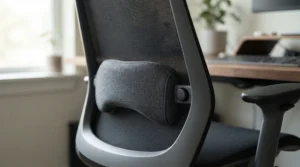
The Steelcase Leap V2 is the chair most 2026 roundups name for sciatica, and the reasoning is consistent. Its LiveBack backrest flexes with your spine, a firmness dial changes the lumbar feel, and the seat slides to fit your leg length.
Put plainly, it adapts to you while you shift around, which matters because sciatica flares when you freeze in one position. It also handles up to 400 lb and has forward tilt.
Price: roughly $1,400-$1,530 new. Remanufactured units from dealers run around $735-$750, which is the loophole many budget-minded buyers use. Warranty terms are reported differently across sources (a 12-year figure appears in some, a lifetime policy in others), so confirm the term for the specific listing.
Pros:
- ✅ Flexing LiveBack follows spinal movement
- ✅ Seat slider fits different leg lengths
- ✅ 400 lb capacity
Cons:
- ❌ Expensive when bought new
- ❌ Remanufactured units aren’t factory fresh
Value verdict: spend the money here if you sit all day and have chronic symptoms.
7. Herman Miller Aeron — suspension seat with no hard front frame edge
The Herman Miller Aeron is the answer when “pressure” is your main enemy. Its 8Z Pellicle mesh suspension spreads weight across the seat, and there is no hard seat pan edge digging into your thighs.
PostureFit SL support aims at the sacrum and lower back, helping the pelvis stay upright rather than rolling backward. Prices vary with size and configuration, roughly $1,400-$2,000.
It suits upright sitters and anyone who runs hot. Reviewers often name it the best mesh option for sciatica, and it is typically backed by a long warranty (12 years is commonly listed; confirm current terms).
Mesh is firm and unforgiving if you like a plush cushion. Some people love that; others spend a week adjusting.
Pros:
- ✅ Suspension seat spreads pressure evenly
- ✅ PostureFit SL supports sacrum and lumbar
- ✅ Long warranty and durable build
Cons:
- ❌ Premium price tier
- ❌ Firm mesh may feel unforgiving
Value verdict: $1,400-$2,000 is a lot, but it spreads over many years of daily use.
How to Choose an Ergonomic Chair for People With Sciatica
Use these seven steps as your filter. The government’s OSHA computer workstation guidance backs the same principle: a chair should support your back, legs, and arms in a neutral posture, not force you to adapt to it.
- Start with seat depth. Leave roughly two to three finger widths between the seat’s front edge and the back of your knee. Too little, and your thighs are unsupported; too much, and the edge presses on tissue behind the knee.
- Demand a rounded front edge. A sharp, flat lip can cut into the underside of your thighs.
- Look for lumbar that moves. Height adjustment is the minimum; depth adjustment is better.
- Insist on smooth recline. OSHA guidance describes reclined sitting at roughly 105 to 120 degrees, so the chair should hold positions in that range.
- Check weight capacity and seat width. A chair that fits tightly creates new pressure points.
- Verify the base. OSHA recommends a sturdy five-legged base with casters matched to your floor.
- Read the warranty and return window. Fit is personal, so a trial period is worth real money.

Waterfall Seat Edge: The Feature That Quietly Does the Heavy Lifting
A waterfall seat edge curves downward at the front instead of ending in a hard shelf. That slope eases pressure on the underside of your thighs and reduces how much your legs press against the seat when you sit fully back.
Why does it matter for sciatica? The sciatic nerve runs down the back of your leg, and a hard front lip can contribute to discomfort in the thigh and behind the knee. A gentle waterfall seat edge lets blood flow and weight distribute more evenly.
The shape also changes your habits. With a soft front edge, you are more likely to sit fully back in the chair, where the backrest can actually do its job. Meanwhile, a square edge nudges people to perch forward and slump.
One caveat: waterfall designs are not all equal. Some are just a thin rounded corner, while others slope across several inches. Compare photos, and look for owner commentary about thigh pressure rather than trusting a marketing phrase. The Branch Ergonomic Chair is the most commonly cited waterfall-style foam seat in this list, and the Herman Miller Aeron achieves a similar effect through suspension mesh.
Tailbone Pressure: Why It Builds and How a Chair Fixes It
Tailbone pressure is the sneaky cousin of sciatic pain. When you slump backward and your pelvis rolls under you, your weight lands on the coccyx instead of your sit bones. After an hour, it feels like sitting on a golf ball.
Chair design addresses this through geometry, not thick padding. One 2026 tailbone-focused guide says seat shape that offloads the coccyx, such as a waterfall front or a suspension mesh seat, spreads weight across the sit bones and thighs, while raw padding depth can do the opposite.
Here is what actually reduces tailbone pressure:
- Seat depth you can adjust, so you can sit fully back without your knees being squeezed.
- Lumbar support that stops the slump, since a collapsing lower back drops weight onto the tailbone.
- A little recline, which shifts load from the seat to the backrest.
If symptoms persist even with a good chair, a cushion with a coccyx cutout can supplement the setup, which we cover below. And if you have severe or lasting tailbone pain, ask a clinician rather than gambling on furniture.
Pelvic Tilt Support: Keeping Your Hips Where Your Spine Wants Them
Pelvic tilt support means your chair helps your pelvis stay near neutral instead of rolling backward into a slouch or tipping too far forward. Why should you care? Because the pelvis is the foundation for your lower spine. When it rolls back, the lumbar curve flattens and your discs take extra load.
The MedlinePlus patient instructions on piriformis syndrome include the simple advice to use proper posture when sitting and not slump. Good pelvic tilt support is how a chair makes that advice easier to follow.
Look for three clues:
- A lumbar contour that meets your lower back, so your pelvis has something to lean against.
- A seat that doesn’t slope backward, which would roll your hips into a slump.
- Forward tilt or adjustable seat angle, available on higher-end chairs such as the Steelcase Leap V2.
Chairs with sacral or PostureFit-style support, such as the Herman Miller Aeron, specifically target this. For tighter budgets, the HON Ignition 2.0 and the Autonomous ErgoChair Pro offer lumbar depth adjustment, which indirectly helps keep your pelvis upright.
Office Chair for Lower Back Pain Relief: What Actually Matters
If your problem is more “tight, achy lower back” than “shooting leg pain,” the same checklist applies, which is why an office chair for lower back pain relief and an ergonomic chair for people with sciatica overlap so heavily. Both rely on neutral posture and frequent change.
What separates a helpful office chair for lower back pain relief from a decorative one comes down to three things. First, lumbar that fits your curve. Second, a seat you can size to your legs. Third, a backrest that allows small movements so you aren’t locked in place.
Here’s a useful rule of thumb: the best posture is the next one. A chair that supports several comfortable positions is more valuable than one that demands a single perfect one. That is why the Autonomous ErgoChair Pro with its lockable recline stops, and the Secretlab Titan Evo with its deep recline, suit people who shift around a lot.
If you’re shopping for an office chair for lower back pain relief on a budget, the Sihoo Doro C300 and Branch Ergonomic Chair deliver the most adjustability per dollar in this guide. Pair either with the setup steps below, because a good chair set up badly still behaves like a bad chair.
Chair for Sciatica With Seat Cushion: When a Cushion Helps (and When It Doesn’t)
A chair for sciatica with seat cushion is a common pairing, and sometimes a smart one. A coccyx or U-shaped cushion relieves direct pressure under the tailbone, and it can make an otherwise decent chair more tolerable.
But a cushion treats symptoms, not geometry. One buying guide makes the point well: a cushion handles the symptom, while a chair that lets you sit back and recline addresses the pressure at its source. The two work best together for a very tender coccyx.
When does a chair for sciatica with seat cushion make sense?
- Your current chair has a hard seat and no waterfall edge.
- You’re waiting on a better chair and want a stopgap.
- You have a tender tailbone and want extra offloading.
When should you skip it? If the cushion lifts you so high that your feet dangle, or if it pushes your thighs into the front edge, you’ve traded one pressure point for another. After adding a cushion, recheck your seat height and the gap behind your knees.
Consumer listings for U-shaped memory-foam cushions are plentiful, with ratings around the low four-star range. Treat those as a rough signal and choose a firm, high-density cushion with a genuine cutout rather than a squishy pad.
Ergonomic Chair vs Seat Cushion vs Other Alternatives
| Option | Main benefit | Main limit | Best For |
|---|---|---|---|
| Full ergonomic chair | Adjusts lumbar, depth, and recline | Highest cost | Daily desk workers |
| Seat cushion on existing chair | Cheap tailbone relief | Doesn’t fix lumbar or depth | Short-term stopgap |
| Kneeling or saddle stool | Encourages active sitting | Compact seat, break-in period | Short work sessions |
| Standing desk alone | Reduces sitting time | Still needs a chair for part of the day | Mixed-position routines |
The table’s takeaway: a cushion is a patch, a stool is a niche, and a standing desk is a complement. For most people with sciatica who sit for work, a properly adjustable chair is the foundation, and everything else is an accessory. If you can only buy one thing, buy the chair and consider adding a cushion for a chair for sciatica with seat cushion later, once you know what’s still sore.
Standing isn’t a cure-all either. It shifts pressure onto your feet and legs, so alternating between sitting and standing, with short walks, beats picking one posture and sticking to it.

Practical Setup Guide: Dial In Your Chair in 15 Minutes
Even the best ergonomic chair for people with sciatica underperforms if it is set up badly. Work through this sequence once, then tweak over the first month.
- Seat height: feet flat on the floor, thighs roughly parallel to the ground.
- Seat depth: slide the seat so two to three fingers fit behind your knee.
- Sit all the way back so your hips touch the backrest.
- Lumbar: raise it until the support meets your lower back’s inward curve, then adjust depth until it feels supportive, not shoving.
- Recline and tension: set the tilt so the chair moves with you rather than fighting you.
- Armrests: let your shoulders drop, with elbows near 90 degrees.
- Monitor: top of the screen at or slightly below eye level.
Maintenance: tighten bolts and casters every few months, wipe mesh with a damp cloth, and check gas-lift height drift.
Common first-30-day mistakes: setting the lumbar too high, leaving tilt tension too tight, and skipping breaks. Give your body two weeks to adapt before concluding a chair “doesn’t work.”
✨ Don’t Miss These Exclusive Deals!
🔍 Take your sitting comfort to the next level with these carefully selected chairs. Click on any highlighted product name to check current pricing and availability. The right setup helps you build a pain-aware workday you can actually keep up!
Real-World Scenarios: Three Buyers, Three Chairs
The remote worker on a $400 budget. She’s at a home desk eight hours a day with a flaring right leg. Her priorities are adjustable seat depth and lumbar. The HON Ignition 2.0 fits her budget and gives her the two adjustments that matter, while the Branch Ergonomic Chair is the runner-up if she prefers a cushioned seat.
The college student with a small desk. He sits 4-6 hours a day and wants budget plus basic adjustability. The Sihoo Doro C300 gets him lumbar support at around $280-$350, but he should confirm the front-edge shape before ordering.
The senior accountant with chronic symptoms. She sits all day and has the budget. A remanufactured Steelcase Leap V2 gives her its flexing back and seat slider at roughly $735-$750, or a new unit if she prefers factory-fresh. If she runs hot, the Herman Miller Aeron is the mesh alternative.
Notice the pattern: budget, hours seated, and body size decide the pick, not brand prestige.
Problem → Solution: Common Sciatica-at-Desk Complaints
“My buttock aches after an hour.” Check seat depth first. A seat that’s too deep presses behind the knees and pushes you forward. Slide it so two to three fingers fit behind your knee, and sit fully back.
“My thighs go numb or tingly.” Look at the front edge. A hard lip can compress the thigh. A waterfall seat edge, like the foam seat on the Branch Ergonomic Chair or the suspension seat on the Herman Miller Aeron, can help.
“My tailbone hurts when I lean back.” Raise the lumbar support so you stop slumping, and consider a coccyx cushion as a bridge. If pain persists, see a clinician.
“My lower back stiffens by afternoon.” Use recline in short bursts, take movement breaks, and try the lockable positions on the Autonomous ErgoChair Pro.
“I fidget constantly.” That’s often your body asking for a change. Pick a chair that tolerates movement, such as the Secretlab Titan Evo, and set a timer to stand periodically.
Common Mistakes When Buying an Ergonomic Chair for People With Sciatica
Buying on plushness alone. Soft feels great in a showroom and terrible at hour six. Pressure distribution matters more than initial squish.
Ignoring seat depth. It’s the most overlooked adjustment. A chair with perfect lumbar but a fixed deep seat can still push you into discomfort.
Trusting “orthopedic” labels. The term has no strict standard. Look for specific adjustments instead.
Skipping the OSHA basics. OSHA’s chair purchasing guide lists the features to verify, from seat and backrest adjustment to base stability. Use it as a checklist.
Buying the wrong size. Petite and tall users often need different seat dimensions. Check weight capacity and seat width, and consider the XL Secretlab Titan Evo if you’re a larger build.
Expecting a chair to fix everything. A chair is one lever. Movement, stretching, and clinical guidance are the others.
Long-Term Cost & Maintenance: What You’re Really Paying For
| Tier | Price range | Examples | What you gain | Best For |
|---|---|---|---|---|
| Budget | $280-$400 | Sihoo Doro C300, Branch Ergonomic Chair, HON Ignition 2.0 | Core adjustments, decent durability | Home offices, tight budgets |
| Mid-range | $500-$700 | Autonomous ErgoChair Pro, Secretlab Titan Evo | More recline, extra tuning | Mixed-use desks |
| Premium | $1,400-$2,000 | Steelcase Leap V2, Herman Miller Aeron | Finer adjustment, long warranty | Daily all-day sitters |
Value analysis: a premium chair that lasts a decade works out to a modest cost per year, comparable to cheaper chairs replaced more often. Remanufactured Steelcase Leap V2 units cut the upfront price significantly, at the trade-off of not being factory new.
Budget on maintenance too: replacement casters, gas lifts, and eventually arm pads are cheap compared with replacing a chair. Chairs with long warranties lower your risk, but read the terms, since coverage varies by listing and seller.

FAQ
❓ Is a mesh or foam seat better for sciatica?
❓ How much space should sit between my knees and the seat edge?
❓ Can I use a gaming chair if I have sciatica?
❓ Is a remanufactured Steelcase Leap V2 worth it?
❓ How often should I change position when sitting with sciatica?
Conclusion
The best ergonomic chair for people with sciatica isn’t the most expensive one. It’s the one that fits your legs, supports your lower back’s curve, keeps pressure off your thighs and tailbone, and lets you move. Choose a chair with real seat-depth control and a rounded front edge, set it up carefully, and give your body a couple of weeks to adapt.
If you want the shortest path: the Branch Ergonomic Chair and HON Ignition 2.0 deliver strong value around $300-$400, the Sihoo Doro C300 stretches a tight budget, and the Autonomous ErgoChair Pro and Secretlab Titan Evo step up with recline. For chronic, all-day sitting, the Steelcase Leap V2 and Herman Miller Aeron are the investment picks.
And remember: a chair supports your recovery; it doesn’t replace medical care. If symptoms persist or worsen, see a professional.
Recommended for You
- [Add your blog post link 1]
- [Add your blog post link 2]
- [Add your blog post link 3]
Disclaimer: This article contains affiliate links. As an Amazon Associate, I earn from qualifying purchases. If you purchase products through these links, we may earn a small commission at no additional cost to you.
✨ Found this helpful? Share it with your friends! 💬🤗
